

Functionality
Functionality
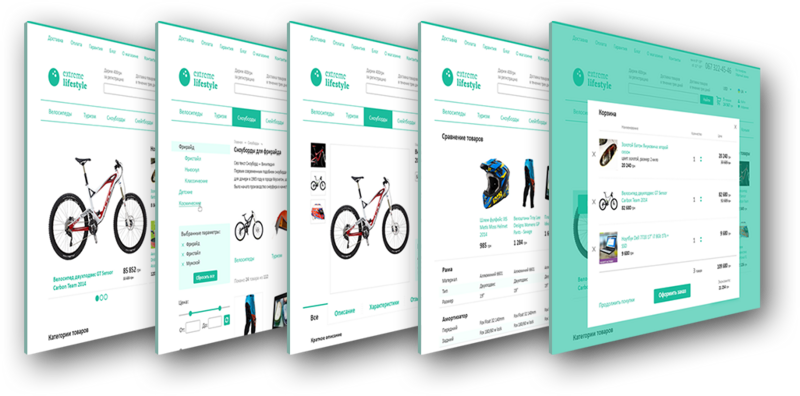
Website header
Your online store logo
Your logo in the place where it is most commonly found – which promotes your business
Website’s main menu
Here are placed the links to such important information as: shipping terms, payment, warranty, and any other information.
Ad slots
Allows you to tell your visitors about the advantages of your online store
Phone
Your phone number will be placed here, because visitors expect to find it right in this place. You can also place your work schedule and callback function here.
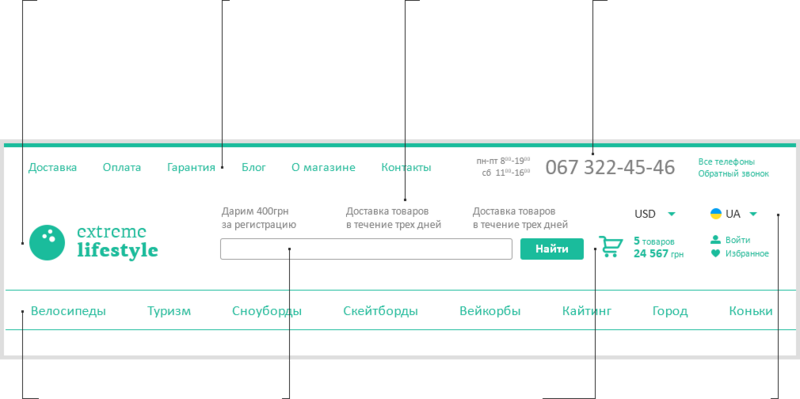
Product catalogue menu
Product catalogue menu is the most important navigation item, that’s why it’s placed in the foreground.
Search
Allows, in a split second, to find any product sorted by title, description or code.
Cart, personal
area
Both are located in the best position, next to each other. Anytime a customer can go to the checkout section and in the personal area they can check the status and history of all orders.
Choosing language and currency
Allows you to make your online store international.
Your online store’s main page
Promotional section
Here you can place your promotions or great deals – this section visitors will see right away
Product categories
Menu with product categories showing the main product categories and subcategories. As visitors move the mouse over the list, it will expand.
Reviews
Recent product reviews will be shown on the main page, which will increase trust towards your online store
Brands
Most popular manufacturers listed in the catalogue
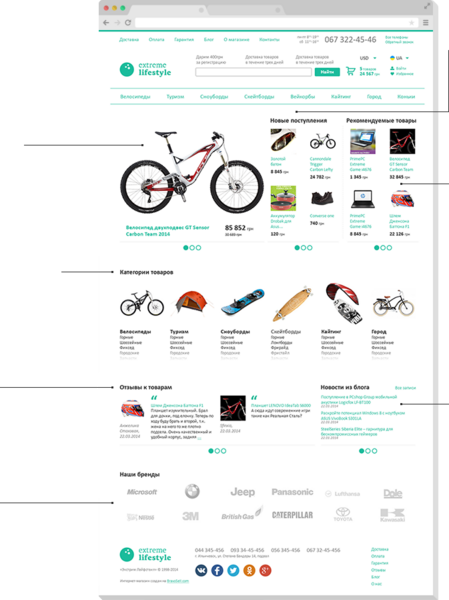
What’s New
Published products, which recently were added to website, will be published in this section. The main page updates automatically.
Recommended products
Just mark the products, which you would like to bring to the attention of your customers.
News and blog
Recent blog articles or news to inform your visitors
Hub page, product categories
Product categories
and subcategories
Two display options: tree-type list and with product picture
Catalogue filters
The filter allows choosing products according to parameters such as price, manufacturer, type, size and so on.
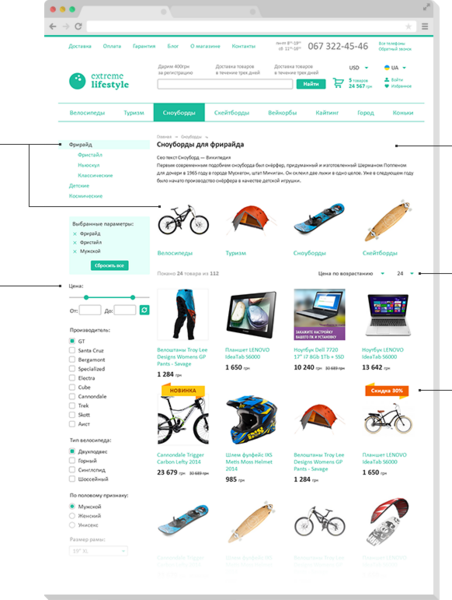
Title and description
Website header and description of your online store. You can use your own unique design for this section.
Sorting
Allows sorting of products and number of products displayed on the page
Badges
Every product has a badge, which displays if this product is on sale, or it’s a new offering or any other info you desire
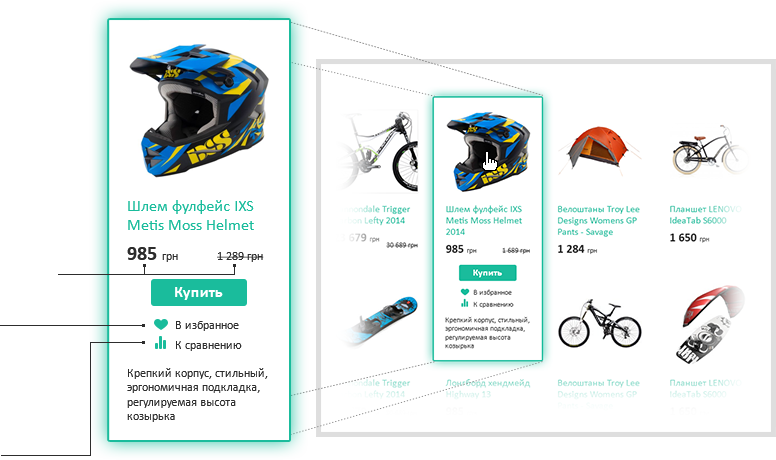
Product details
As visitor moves the mouse over the product in any page, it will show a brief product description. Also this feature give the option to add the product to the cart or to favorites or to the compare list
Product price
Current price and price before
discount
Favorite products
Visitors can add a product to favorites so they can check it again later. This feature is available only for registered users
Product comparison
For user convenience products parameters can be compared in one table
Product card
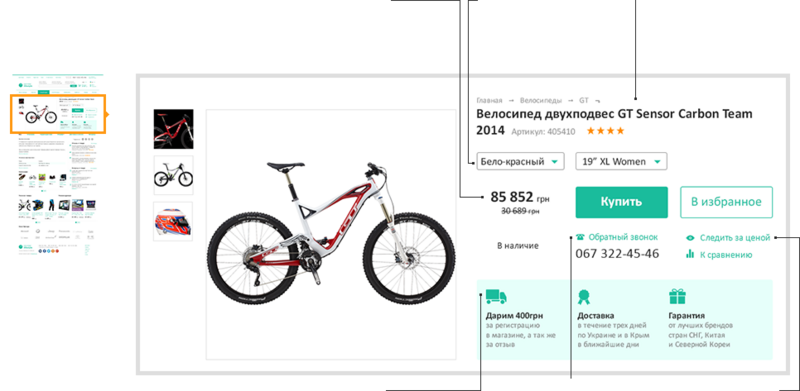
Product photo
Add one or more photos of products
Price
Current price and price before discount. Also it shows if the product is in stock or out of stock.
Characteristics
User can choose color or size if available
Product title
Full product name, code and rating among users
Teasers
Displays main advantages of your online store
Callback
Visitor can use the callback function, which is placed below the Buy button. This feature aids conversion marketing.
Follow price
If a visitor now cannot afford to buy a product because of the current price, the website will inform them when it changes.
All together
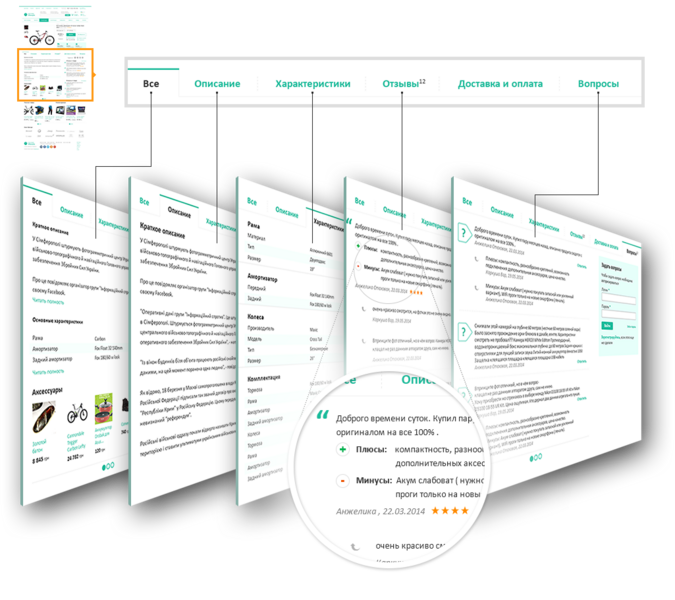
Here, together in one place, is all main and updated information from the product card: first few sentences from product description, main characteristics, 3 latest reviews and questions from customers, as well as product accessories.
Description
In a separate tab full product description or review is displayed
Product info
All product characteristics in one table
Reviews
User reviews, which express emotions, the product’s specific advantages and disadvantages as well as total rating
Questions
When asking questions you will get adequate answers from honest users and, most importantly, from online store staff
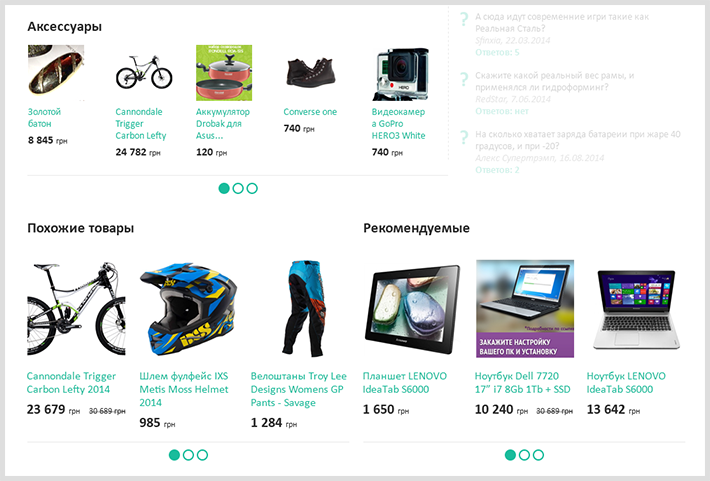
Accessories, similar products
Makes the buying process easier and increases the total amount of order.
Show the customer all essential accessories for the product.
Advice regarding similar products to ensure completeness of the choice.
Recommend products which you want to bring the attention of your customer.
Cart
In the cart user will see the order list with all characteristics (color, size, unit price). Here the user can change the amount of products they want to buy or delete some of them from list. Also shown here is price and total cost.
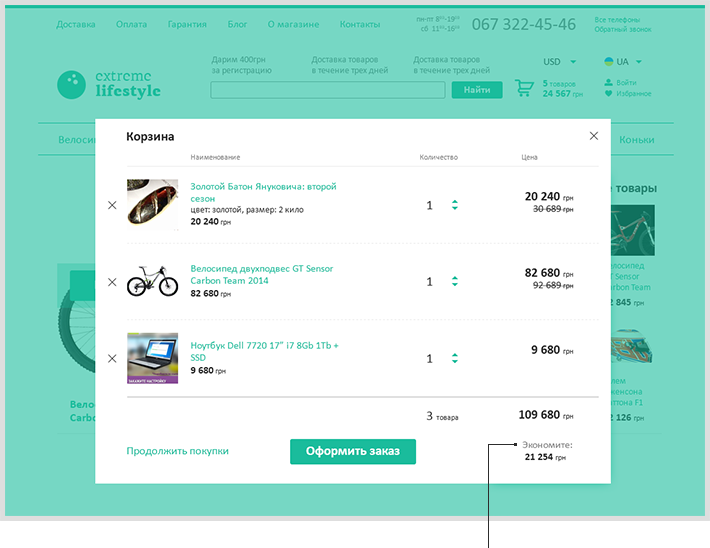
Discount
Here a user can see the amount of money saved using discount.
Checkout
Registration
Simple and easy registration of new users
Authorization
Old customers can sign in here
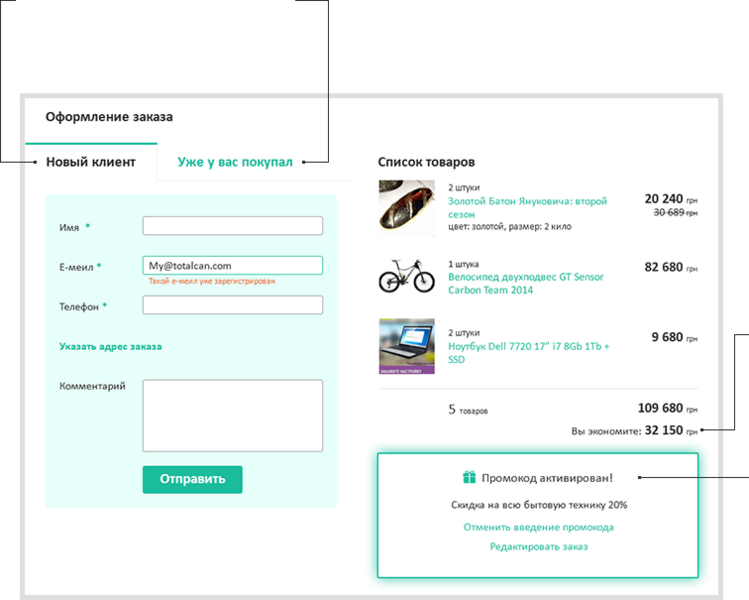
Discount
Here a user can see the amount of money saved using discount.
Promotion code
Owners of a promotion code can fill it in and receive an additional discount or they can delete the current promotion code until required
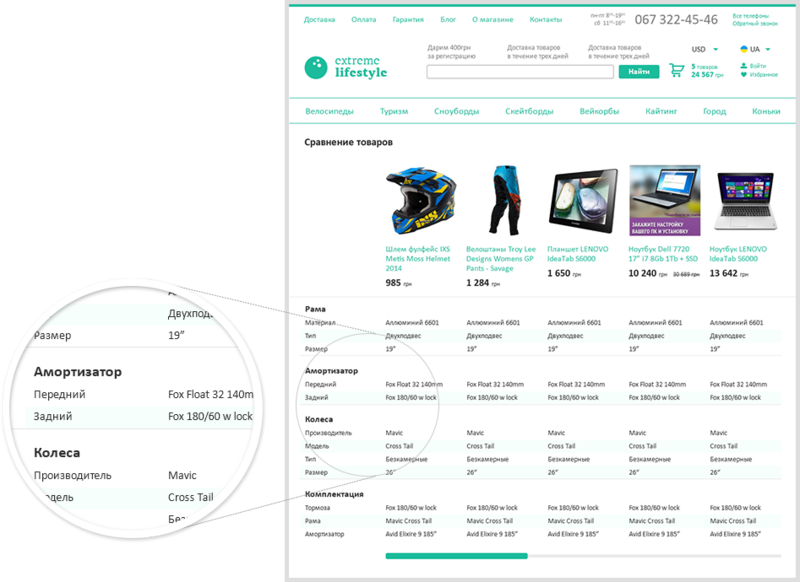
Product comparison
Products for comparison as well as their characteristics are displayed in the table and divided by category
Personal area
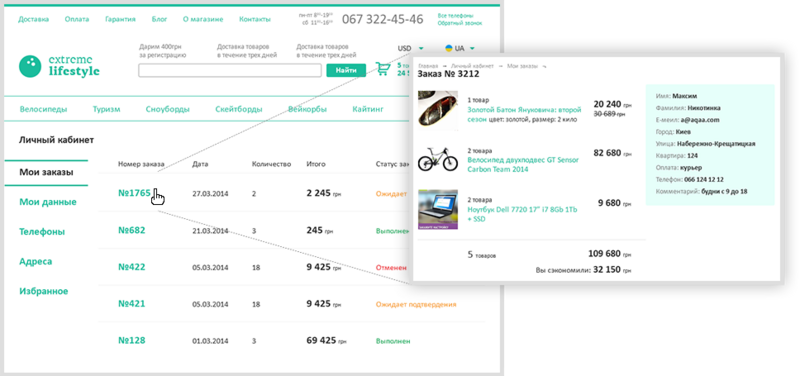
Here you can find information about completed orders, as well as about orders in the waiting list or canceled orders.
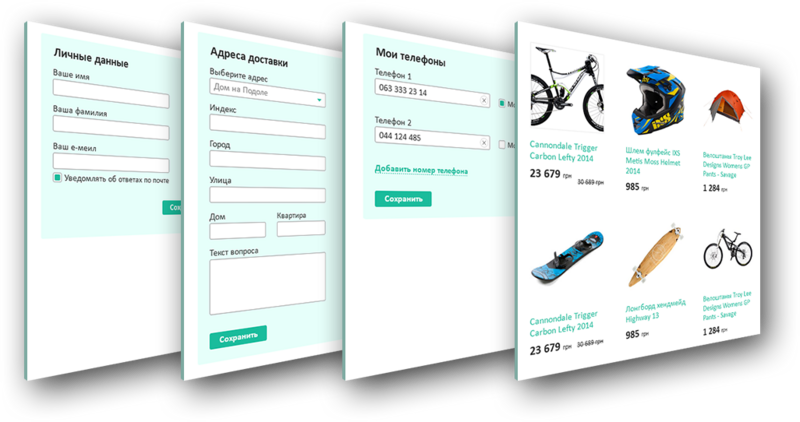
Personal data tab
Allows editing of your personal data, managing your subscription, also here you can change your password.
Addresses tab
Online store allows adding mulitple shipping addresses, such as work and home address. You will need to fill them in just once, the next time you can choose them from the list.
Phones tab
You can add multiple phone numbers and mark them as mobile or fax
Favorite products tab
Display visitor’s wish list